





- We may receive a commission for purchases made through links.
Traveling to a new country is super exciting. The anticipation of meeting new people, seeing new sights, and creating unforgettable memories really distracts you from how painful it can be too. The minute you land at the airport, it becomes a race to find a new SIM operator, to be able to make calls and even book a taxi to the hotel. As expected, SIM prices at airports are not really cheap. Most operators offer upgraded plans to travelers, which are not value for money. That’s where an eSIM service like hello fly come in.
Why Holafly?
An eSIM, for the uninitiated, works just like a regular SIM card. However, an eSIM is not physical, so you do not need to change the one you already have on your mobile phone. I was able to test the service during a recent trip to Vietnam and these are some of the features that stood out:
- Unlimited data: Holafly offers unlimited data plans in over 200 destinations, allowing you to stream, translate, and use maps without worrying about a thing.
- No roaming charges: All Holafly plans are prepaid with a single upfront cost, so there are no surprise bills or hidden charges when you get home.
- Quick and easy setup: All you need to do is purchase the desired eSIM plan before leaving home, install it, and activate it upon arrival.
- Refills available: If a country captivates you and you want to extend your stay, you can easily add a top-up to your existing plan without purchasing a new SIM card.
- 24/7 multilingual support: Holafly offers 24-hour customer support in multiple languages to help with setup or troubleshooting.
- Access Point Capabilities: You can even share your mobile data with other people during your stay.
- Great refund policy: If for some unfortunate reason your travel plans are delayed, Holafly offers a full refund up to 6 months after purchase.
All these features make Holafly eSIM the best option for digital nomads. I was instantly connected to mobile service in Vietnam within a minute of landing. Not only did this help me avoid the long lines of people trying to buy a SIM card, but it also helped me translate directions for other people at the airport. If you are planning your next trip to Asia and want to skip the lines like me, Holafly is one of the best eSIM services that exist.
How to configure the Holafly eSIM?

Setting up the Holafly eSIM is quite simple. But before you start, it’s important to check if your phone supports eSIM. Most modern phones have this functionality, but some older phones may not. You can check the compatibility. here.
Once checked, the first step to installing the eSIM is to purchase the correct plan. You can go to Holafly website or the app and search for the destination you plan to visit. Then select the number of days you will need for your trip; You can customize it from 1 to 90 days to pay only for what you need. Use the code FOSSBYTES at checkout to get a 5% discount on your eSIM.
After completing the purchase, you will receive an email with all the necessary details. Just keep in mind that if you get stuck on any of the steps mentioned below, you should contact Holafly’s excellent 24/7 multilingual customer support who will help you solve your problem.
Install eSIM on Android
There are three ways to install a Holafly eSIM on Android. You can set it up using the QR code sent to your email, enter the code manually or use the Holafly app.
1. Set up using QR code
- Open the Settings application.
- Go to Network and Internet > SIM > Add SIM.
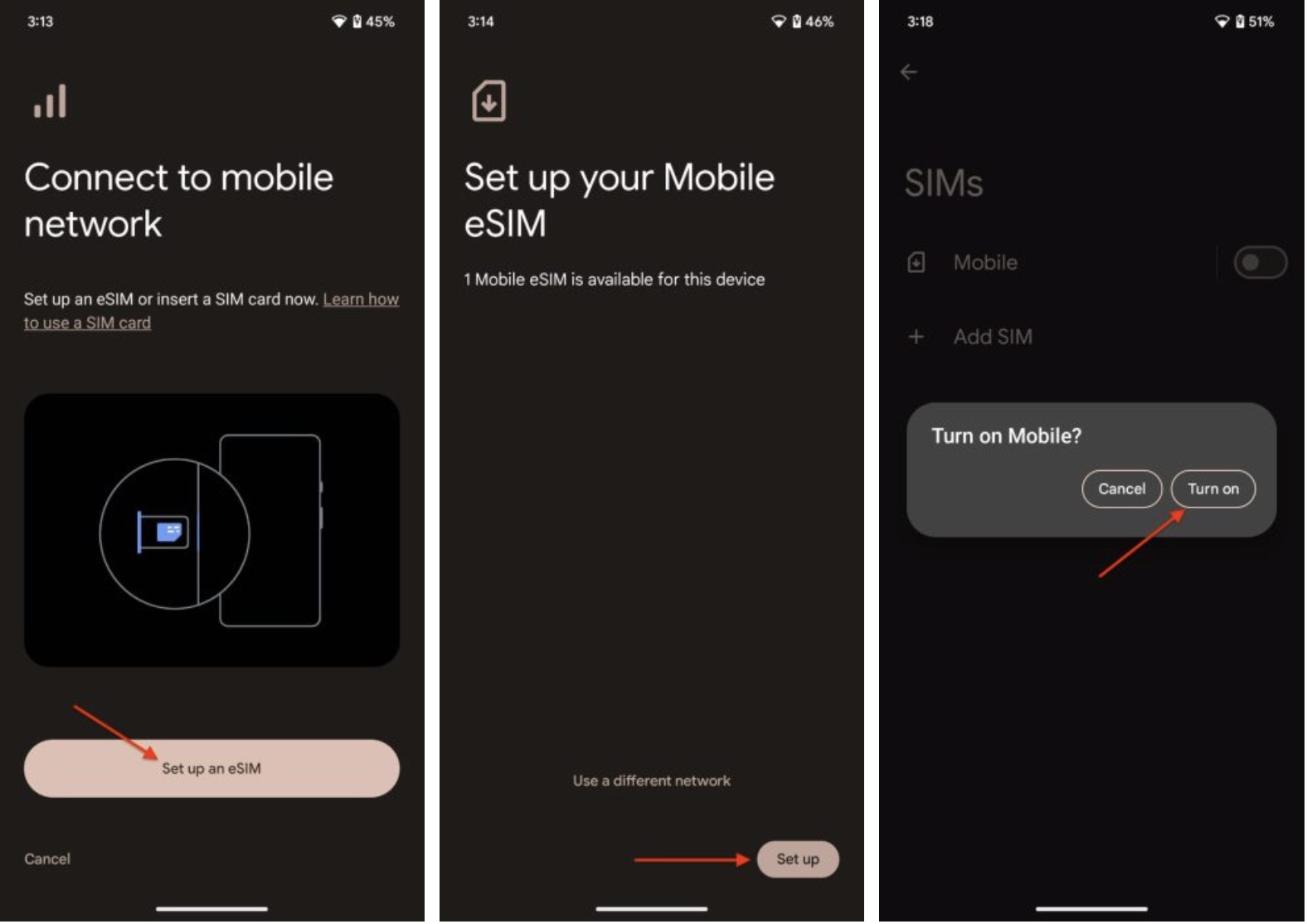
- Click Add an eSIM option and select Set up an eSIM.
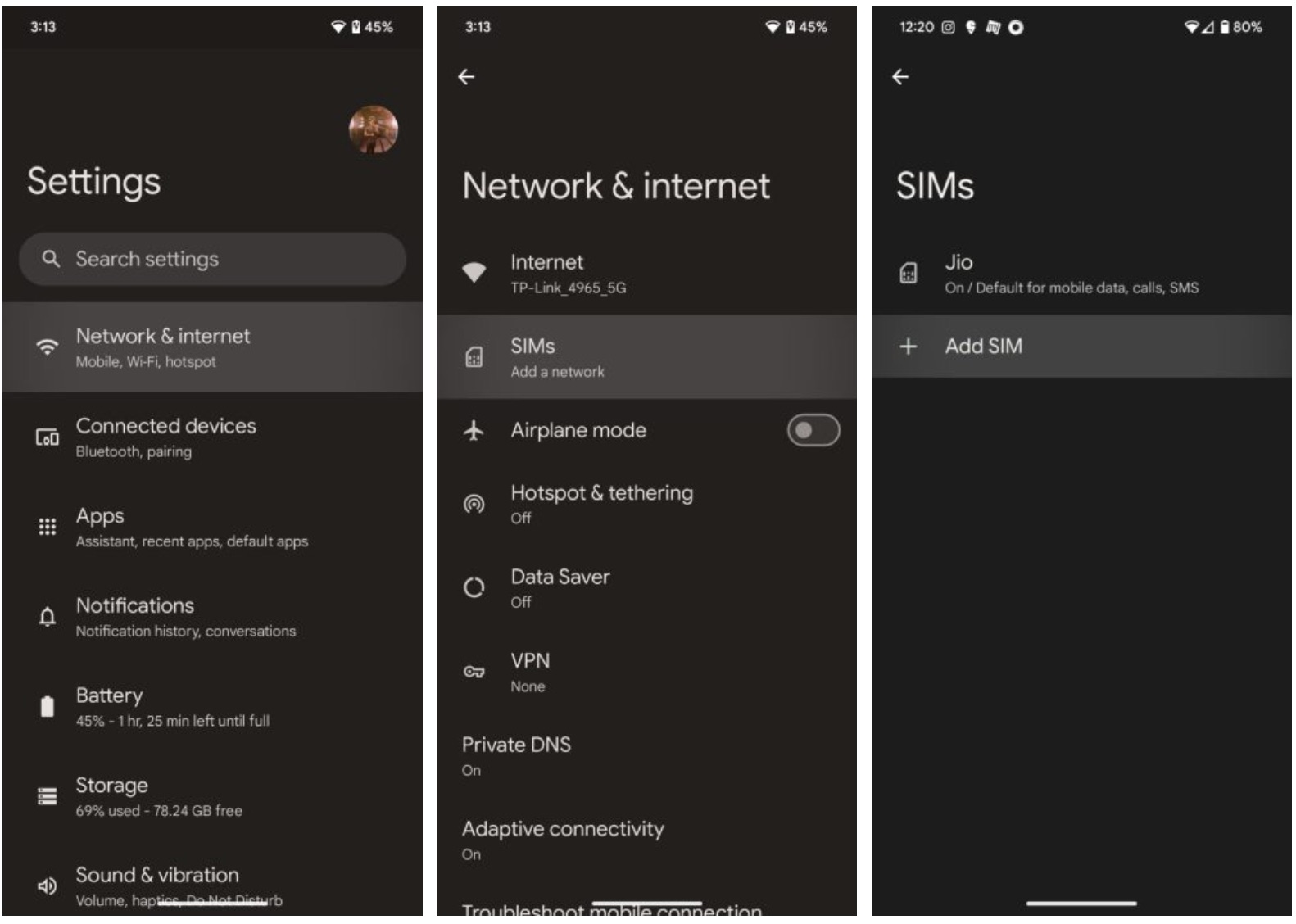
- Scan the qr code that you received in the email and click Configuration.
- Follow the steps on the screen to install your eSIM.
- Upon reaching your destination, activate your eSIM to connect.
2. Configure manually
- Open Settings, then head to Network and Internet > SIM > Add SIM.
- Instead of scanning the code, click Enter activation code.
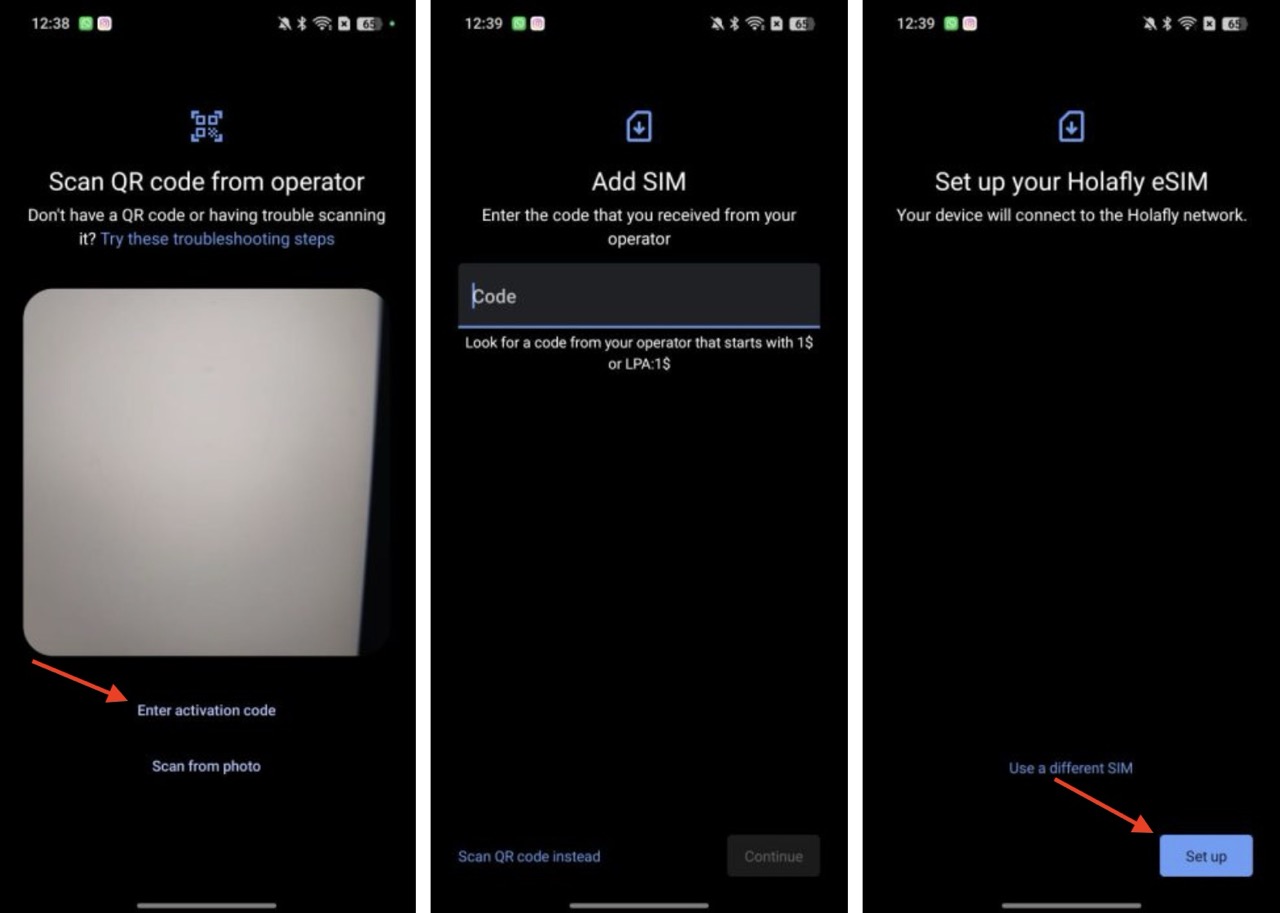
- Copy the code from the email or text and paste it into the correct field.
- Click Configurationand follow the instructions that appear on the screen.
- Activate your eSIM to connect.
3. Set up using Holafly app
- Download and install the hello fly Play Store app.
- Sign in with the same email you purchased the plan with.
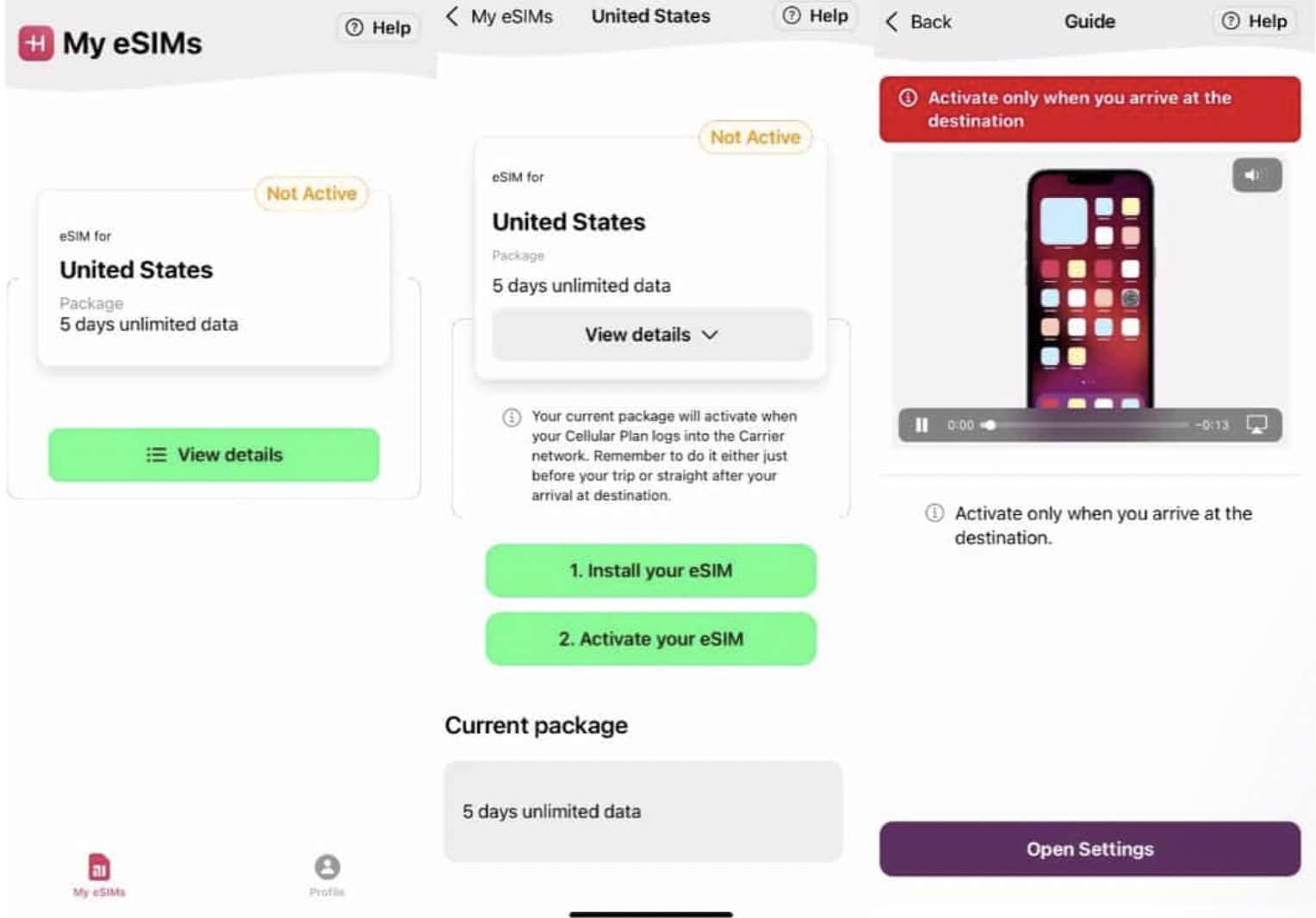
- Click See detailsthen select Install your eSIM. Follow the instructional video to complete the process.
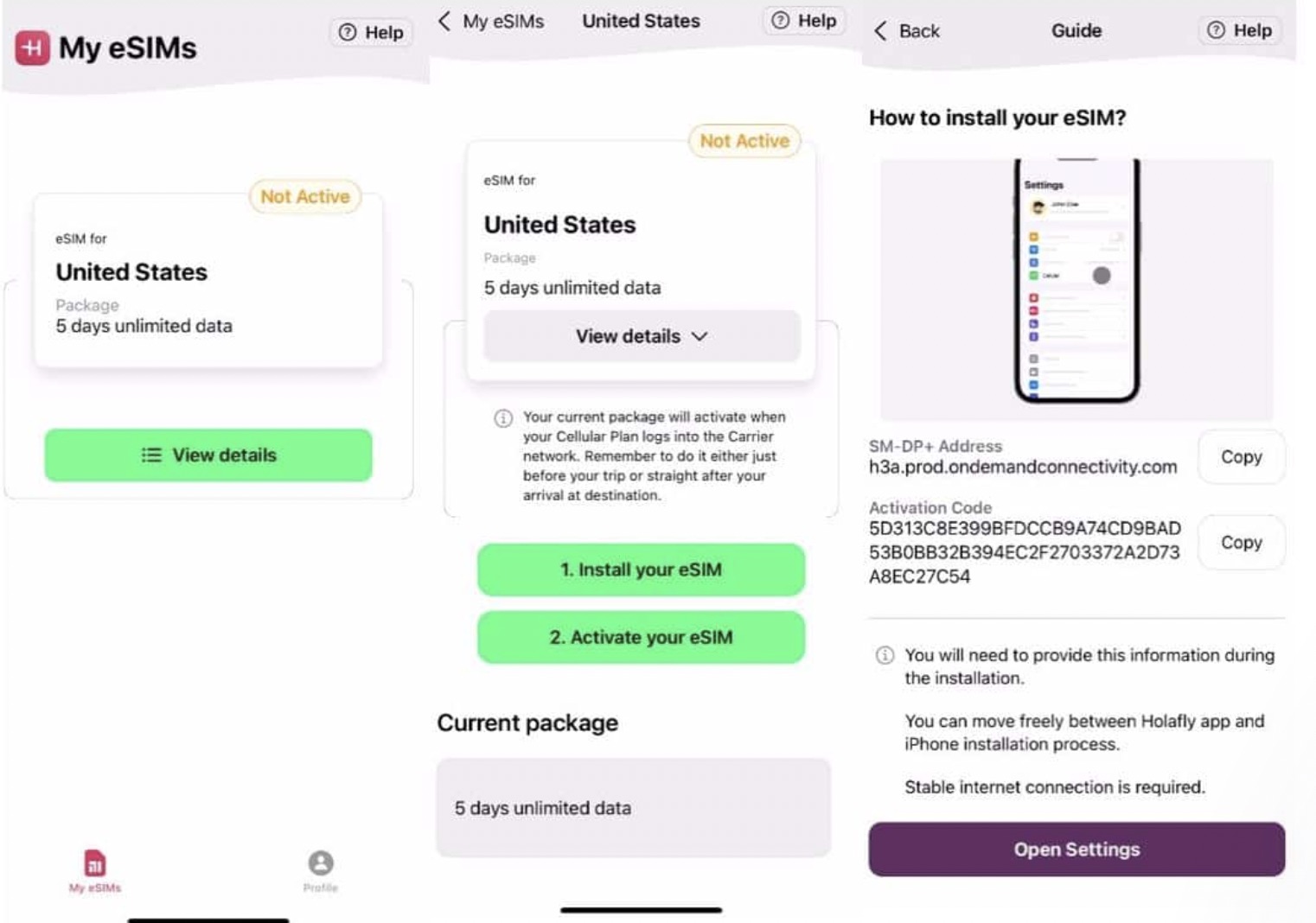
- Once installed, return to See details and click Activate your eSIM this time. A video guide will detail all the steps and you must follow them carefully.
Install eSIM on iPhone
Like Android, there are three ways to set up an eSIM on iPhone. If you have iOS 17.4 or later, the process becomes much easier.
1. Set up using QR code
- Open the Settings application and go to Cellular > Add eSIM > Use QR code.
- Scan the qr code received in the email to start the installation process.
- Follow the on-screen instructions and assign a name to your new Holafly line.
- Select Primary like you Default line and click Continue.
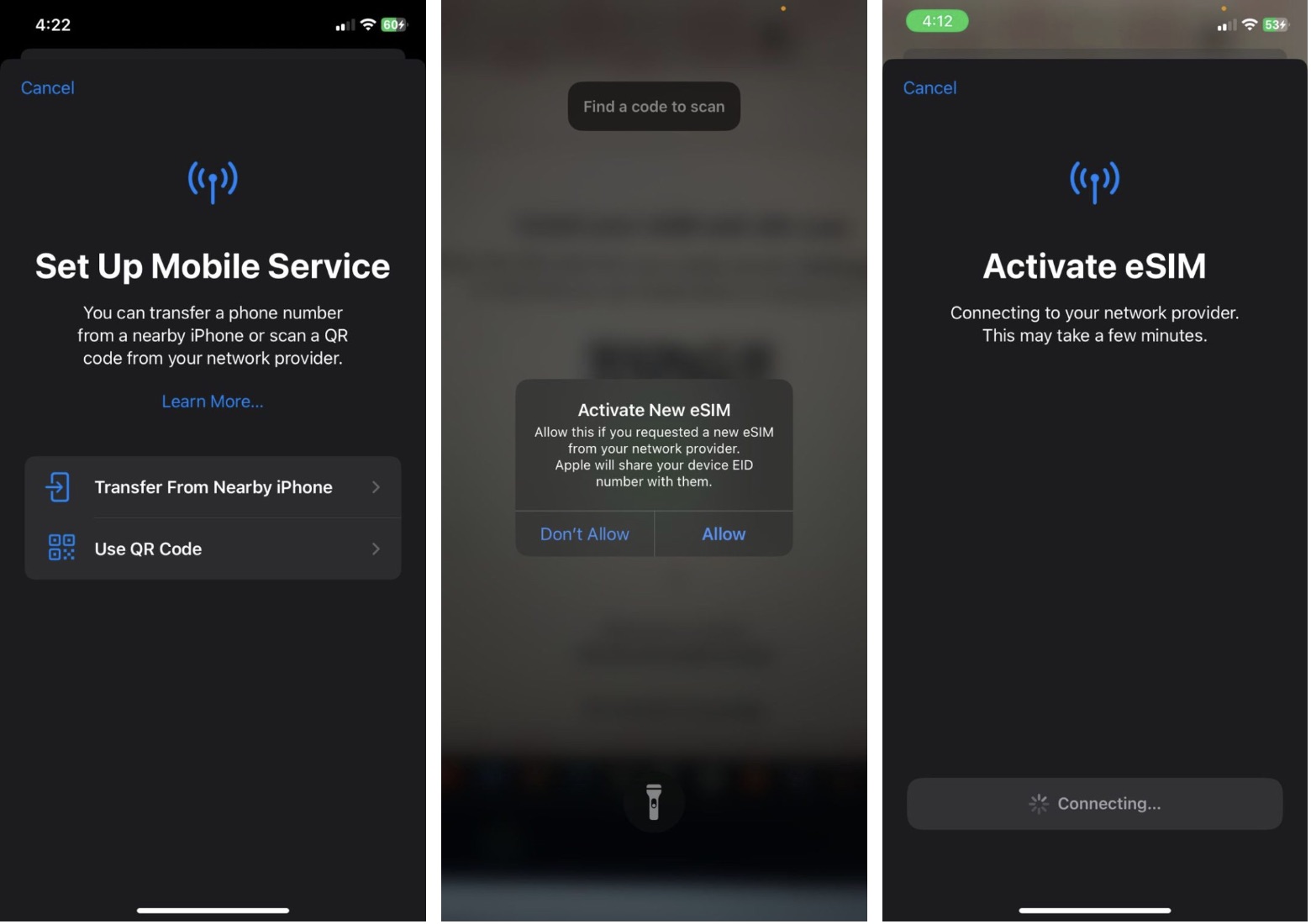
- Choose Primary as default value for iMessage and FaceTimethen click Continue.
- Set your mobile data to eSIM Holafly.
- Activate your eSIM once you have arrived at your destination to connect.
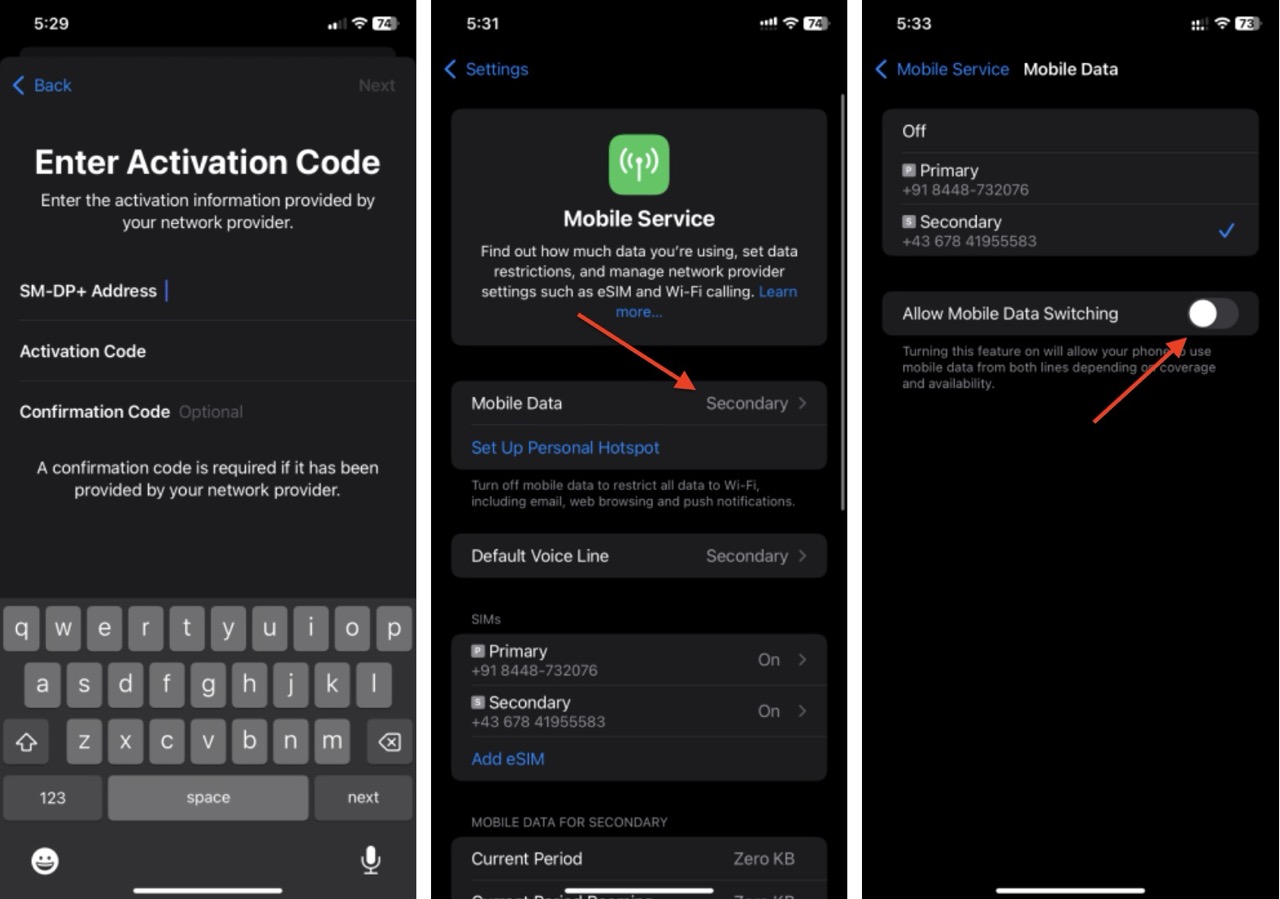
2. Configure manually
- Open the Settings application and go to Cellular > Add eSIM > Use QR code.
- Instead of scanning the code, click Enter details manually.
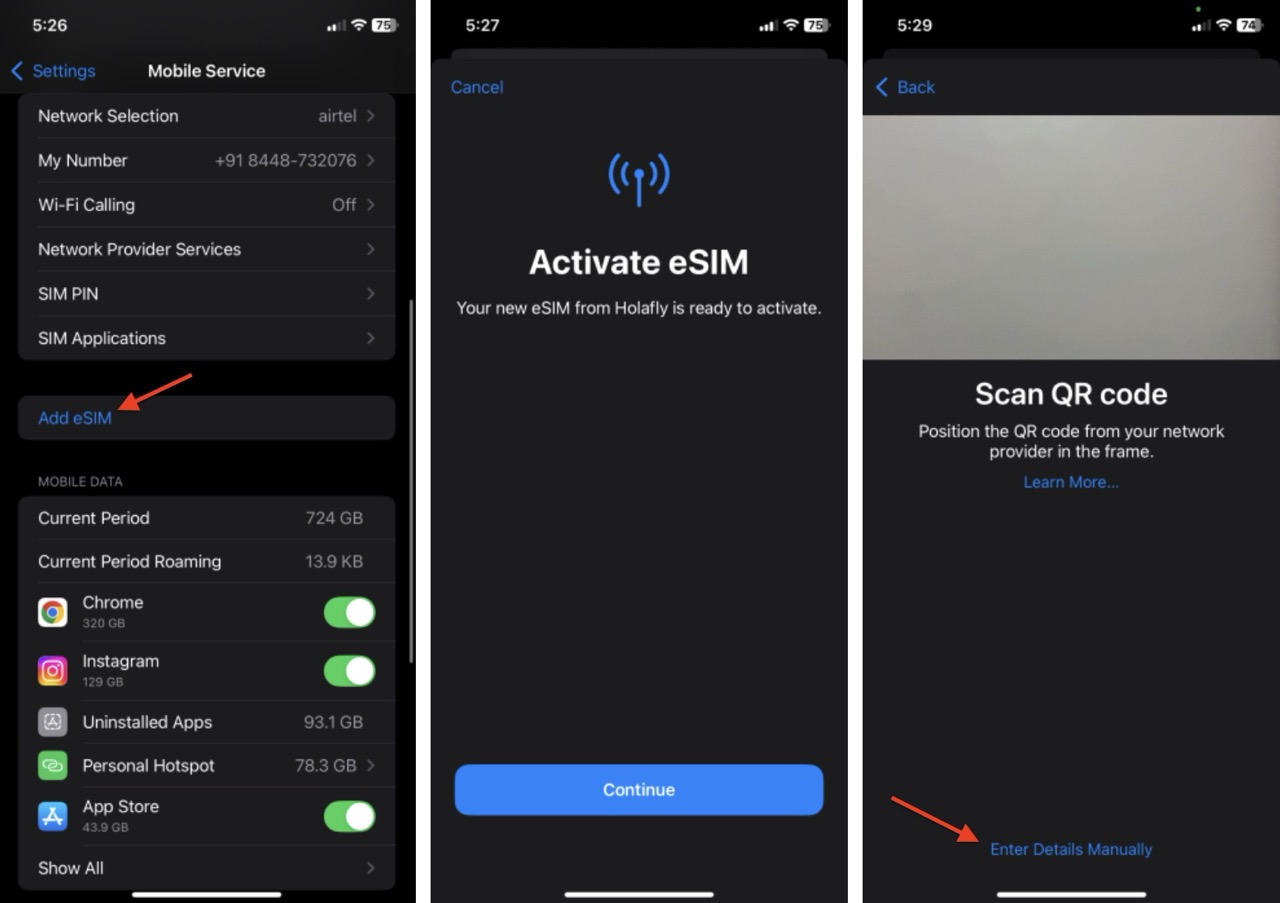
- Copy the SM-DP + address and activation code from the email you received and enter the corresponding fields.
- Click Continue and name your plan.
- Keep your current SIM card as primary for text messages and calls.
- Select the Holafly eSIM to mobile data. Turn off Allow mobile data change.
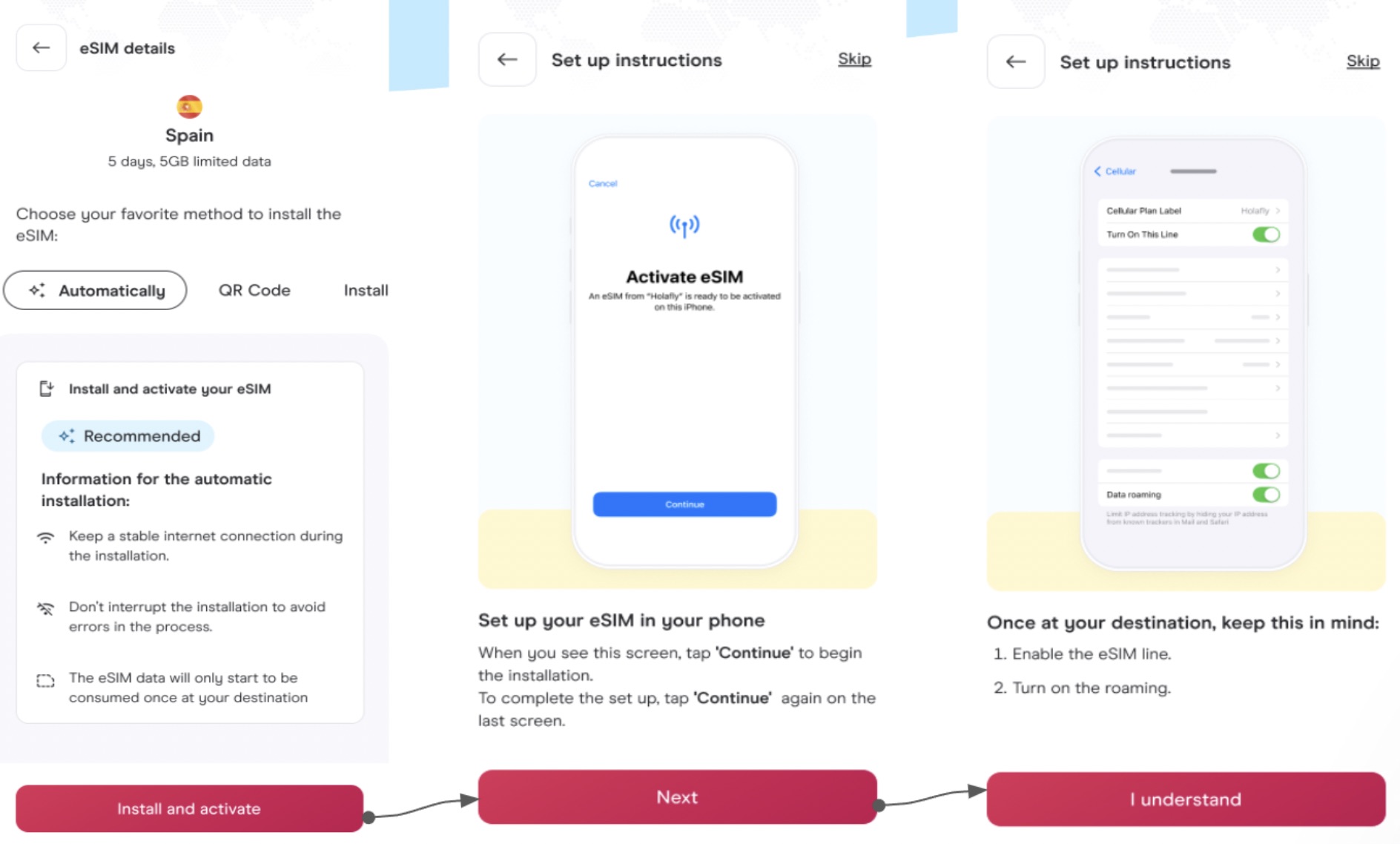
3. Automatically install on iOS 17.4 or later
- Open the Holafly app and go to your profile.
- Locate the data plan and select the Automatically option.
- Click Install and activate, and follow the instructions on the screen.
That’s all. My trip lasted a couple of weeks, I visited off the beaten path places in Vietnam and was never off duty. The coverage was exceptional, even on the trains, where I was able to watch episodes of my favorite series, Succession, without any hiccups. So if you’re planning a trip this holiday season, consider checking out Holafly to simplify your travel headache and save some money. Don’t forget to use the code. FOSSBYTES With a 5% discount on your Holafly eSIM!
#configure #Holafly #eSIM #traveling